How to Use AWS MCP Servers in Claude Code
In the previous post, we took a detailed look at Model Context Protocol (MCP). Now it’s time to work on something more practical and utilize that knowledge. AWS has released a comprehensive suite of MCP servers, and since AWS is a ubiquitous cloud provider, I thought it would be a good exercise to integrate them into my workflow when using Claude Code.
AWS provides over 60 MCP servers covering everything from documentation and infrastructure management to AI/ML services and cost analysis. In this tutorial, we’ll focus on the AWS Knowledge MCP Server which recently became generally available.
What is AWS Knowledge MCP Server?
AWS Knowledge MCP Server is a fully managed remote service that provides AI agents and MCP clients with instant access to authoritative AWS information in LLM-compatible format. Think of it as having AWS’s entire knowledge base—documentation, API references, blog posts, What’s New announcements, and Well-Architected best practices—directly accessible to your AI assistant.
Key Features
Comprehensive AWS Knowledge Access:
- Official AWS documentation
- API references for all AWS services
- What’s New announcements
- Well-Architected Framework best practices
- AWS Builder Library content
- AWS blog posts
- Regional availability of AWS APIs and CloudFormation resources
Fully Managed:
- No setup or infrastructure management required
- Publicly accessible at no cost
- No AWS account required
- Available globally
- Subject to rate limits
Benefits:
- Accuracy - AI responses anchored in trusted AWS context
- Consistency - Reliable execution based on official guidance
- Efficiency - No manual context management or copy-pasting from docs
Setting Up AWS Knowledge MCP Server in Claude Code
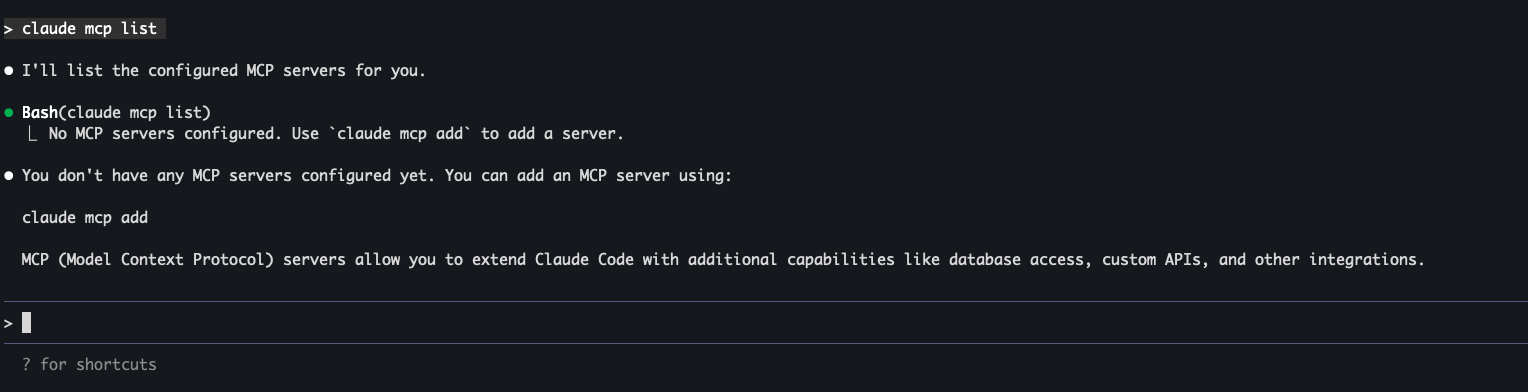
Before you start, to get a baseline, run the following command to see what MCP servers you have configured. By default you shouldn’t see anything.
claude mcp list
In a default Claude Code installation, your output should look similar to this:
Now, proceed to add the AWS Knowledge MCP Server.
Adding the Server
One of the beauties of AWS Knowledge MCP Server is its simplicity—it’s a remote HTTP service that requires minimal configuration.
First, exit Claude Code by running the following command in the terminal:
exit
Then, use the Claude Code CLI to add the server:
claude mcp add --transport http aws-knowledge https://knowledge-mcp.global.api.aws
This adds the server to your local scope (project-specific). If you want it available across all your projects:
claude mcp add --transport http aws-knowledge https://knowledge-mcp.global.api.aws --scope user
Alternative: Manual Configuration
You can also add it directly to your project’s .mcp.json file:
{
  "mcpServers": {
    "aws-knowledge": {
      "type": "http",
      "url": "https://knowledge-mcp.global.api.aws"
    }
  }
}
Verifying the Connection
Check that the server is properly configured:
claude mcp list
Your output should look like this:
Checking MCP server health...

aws-knowledge: https://knowledge-mcp.global.api.aws (HTTP) - ✓ Connected
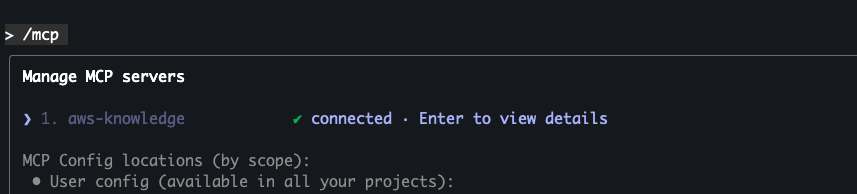
You can also verify within Claude Code using the /mcp command.
Testing the Connection
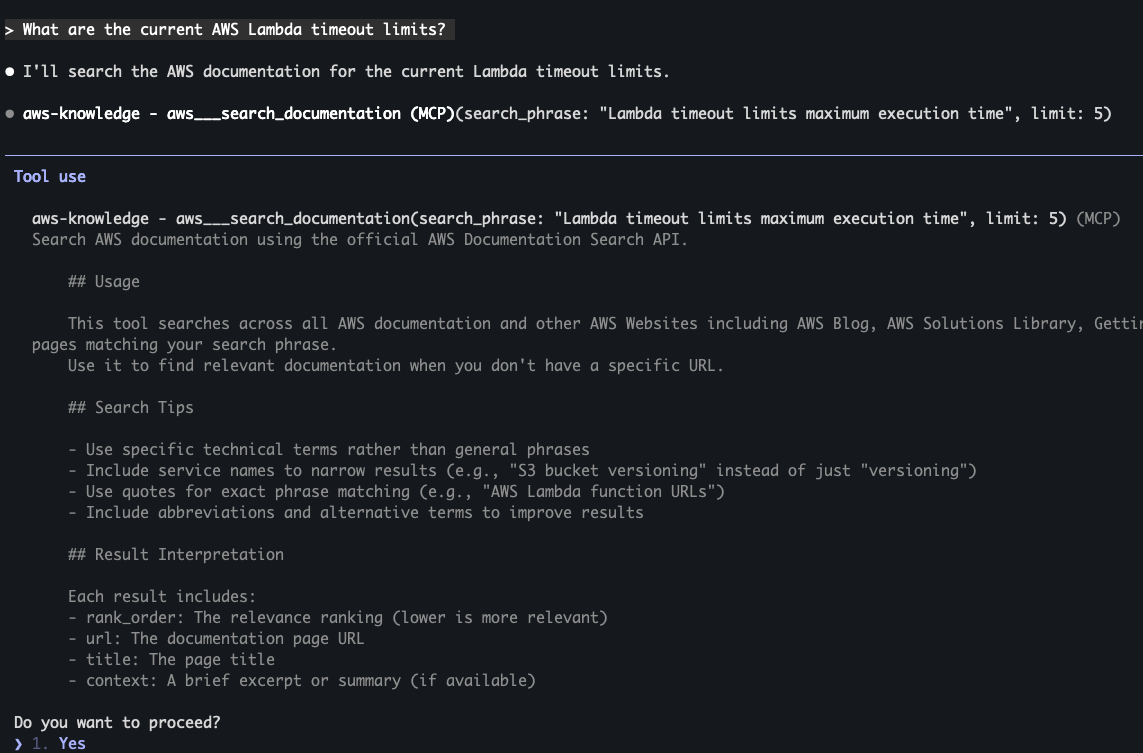
To test that the MCP server is actually being used by Claude Code, ask an AWS-related question such as:
What are the current AWS Lambda timeout limits?
And the output should show that Claude Code knows what tool to use to get this data:
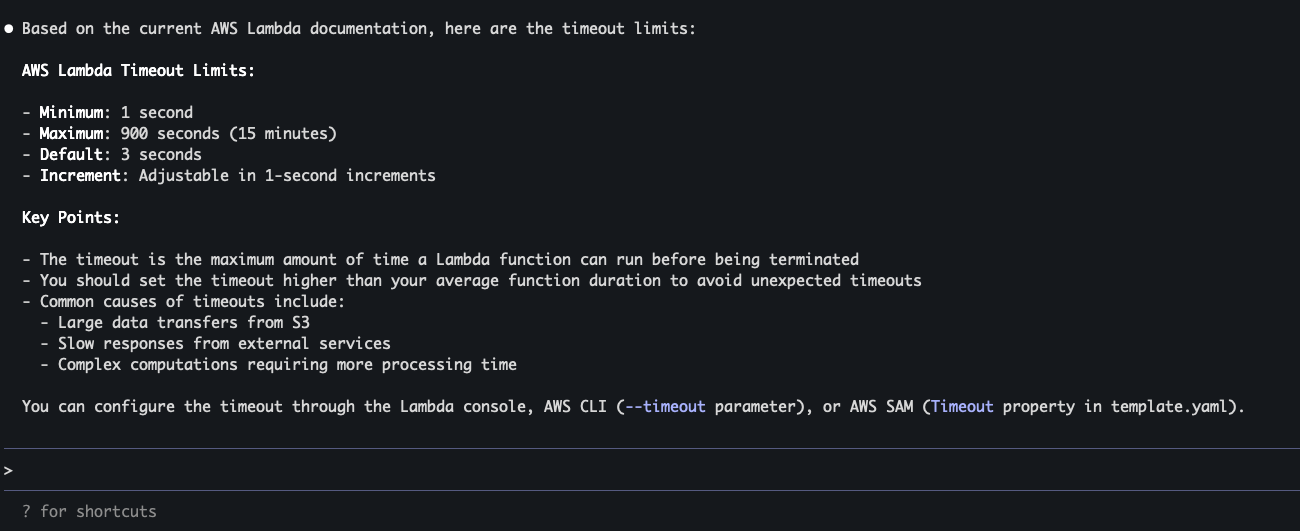
And when you proceed, you should get the answer directly coming from the AWS MCP Server:
How Does Claude Know What Tool to Use?
It’s great that when you ask an AWS-related question, it goes straight to the AWS Knowledge MCP server and gets the answer from the correct resource. But how does it know where to find the correct answer? What if I have an Azure MCP server installed as well, or other tools? How would it know which one to choose?
The MCP Discovery Process
When an MCP server connects to Claude Code, it doesn’t just sit there waiting. It actively advertises its capabilities through the Model Context Protocol. This is called the “capability discovery” phase, and it happens automatically when the server is initialized.
Here’s what happens behind the scenes:
sequenceDiagram
    participant CC as Claude Code
    participant MCP as MCP Server<br/>(AWS Knowledge)
    participant AI as AI Assistant

    CC->>MCP: Initialize connection
    MCP->>CC: Server info & capabilities
    Note over MCP,CC: Server advertises:<br/>- Available tools<br/>- Tool descriptions<br/>- Required parameters
    CC->>MCP: Request tool list
    MCP->>CC: Tools: search_documentation,<br/>read_documentation,<br/>get_regional_availability, etc.

    Note over CC,AI: User asks AWS question

    CC->>AI: Available tools from all MCP servers
    AI->>AI: Analyze question & match tools
    AI->>CC: Use aws___search_documentation
    CC->>MCP: Execute search_documentation("Lambda timeout")
    MCP->>CC: Return AWS documentation results
    CC->>AI: Results from AWS Knowledge
    AI->>CC: Formatted response to user
Tool Descriptions: The Key to Smart Routing
Each MCP server provides detailed metadata about its tools. This metadata is what allows the AI to make intelligent routing decisions. Let’s look at real examples:
AWS Knowledge MCP Server advertises:
{
  "name": "aws___search_documentation",
  "description": "Search AWS documentation, blogs, What's New announcements, and technical guides for information about AWS services, features, and best practices",
  "inputSchema": {
    "type": "object",
    "properties": {
      "search_phrase": {
        "type": "string",
        "description": "Search query for AWS documentation"
      },
      "limit": {
        "type": "integer",
        "description": "Maximum number of results to return"
      }
    }
  }
}
A hypothetical Weather MCP Server would advertise:
{
  "name": "weather___get_forecast",
  "description": "Get weather forecast for a specific location including temperature, precipitation, and conditions for upcoming days",
  "inputSchema": {
    "type": "object",
    "properties": {
      "location": {
        "type": "string",
        "description": "City name or coordinates"
      },
      "days": {
        "type": "integer",
        "description": "Number of days to forecast (1-10)"
      }
    }
  }
}
Notice how different these descriptions are? The AI uses these descriptions to understand what each tool does and when to use it.
The Decision-Making Process
When you ask a question, here’s how the AI decides which tool to use:
graph TD
    A[User asks:<br/>'What are Lambda timeout limits?'] --> B[AI analyzes question]
    B --> C{Check all available<br/>MCP tools}

    C --> D1[aws___search_documentation<br/>AWS docs, services, features]
    C --> D2[weather___get_forecast<br/>Weather data for locations]
    C --> D3[github___search_code<br/>Search code repositories]

    B --> E{Match question to<br/>tool descriptions}

    E --> F{Keywords:<br/>Lambda, timeout, limits}
    F --> G{Best match?}

    G -->|AWS service| H[✓ aws___search_documentation]
    G -->|Weather related| I[✗ weather___get_forecast]
    G -->|Code related| J[✗ github___search_code]

    H --> K[Execute AWS Knowledge query]
    K --> L[Return Lambda timeout documentation]

    style H fill:#2ECC40
    style I fill:#FF4136
    style J fill:#FF4136
What Makes This Work
The AI considers several factors when choosing a tool:
- Semantic Matching: Does the tool description align with the question’s intent?
- “Lambda timeout limits” semantically matches “AWS services, features, and best practices”
- It does NOT match “weather forecast” or “code repositories”
- Domain Context: What domain does the question belong to?
- AWS services → AWS Knowledge MCP Server
- Weather information → Weather MCP Server
- Code search → GitHub MCP Server
- Parameter Compatibility: Can the question be translated into the tool’s required parameters?
- “Lambda timeout limits” →
search_phrase: "Lambda timeout limits" - This fits the AWS Knowledge schema perfectly
- “Lambda timeout limits” →
- Tool Specificity: More specific tool descriptions get priority
- A tool described as “AWS Lambda documentation” would beat “General cloud documentation”
- Specificity helps avoid ambiguity
Multiple MCP Servers Working Together
The beauty of this system is that you can have many MCP servers installed simultaneously, and the AI will route questions to the right one:
graph LR
    A[You ask questions] --> B[AI Assistant]

    B --> C{Analyze & Route}

    C -->|AWS questions| D[AWS Knowledge<br/>MCP Server]
    C -->|Weather queries| E[Weather<br/>MCP Server]
    C -->|GitHub searches| F[GitHub<br/>MCP Server]
    C -->|Database queries| G[PostgreSQL<br/>MCP Server]

    D --> H[AWS Documentation]
    E --> I[Weather API]
    F --> J[GitHub API]
    G --> K[Your Database]

    style D fill:#FF851B
    style E fill:#0074D9
    style F fill:#2ECC40
    style G fill:#B10DC9
Example conversation with multiple servers:
You: What's the weather in Sydney?
AI: [Routes to Weather MCP Server] → Returns forecast

You: Does Lambda support ARM64 in ap-southeast-2?
AI: [Routes to AWS Knowledge MCP Server] → Returns AWS docs

You: Show me my S3 buckets
AI: [Routes to AWS API MCP Server] → Lists actual buckets

You: Find TypeScript code that uses Redis
AI: [Routes to GitHub MCP Server] → Searches repositories
Each question automatically goes to the right server based on the tool descriptions advertised during the MCP handshake.
Writing Good Tool Descriptions
When building your own MCP server, the quality of your tool descriptions directly impacts how effectively the AI can use your tools. Good descriptions should:
- Be specific: “Search AWS Lambda documentation” beats “Search docs”
- Include domain keywords: Mention the service, technology, or domain
- Explain the purpose: What problem does this tool solve?
- Define clear parameters: What inputs does the tool need?
This is why AWS Knowledge MCP Server works so well—its tool descriptions are comprehensive, specific, and well-aligned with the questions developers actually ask about AWS.
Conclusion
The AWS Knowledge MCP Server transforms how you access AWS documentation in Claude Code. With instant access to up-to-date AWS information, you can work faster, learn continuously, and make better-informed decisions—all without leaving your development environment.
The MCP standard ensures these integrations are reliable, secure, and maintainable. As AWS continues to add more specialized servers, the ecosystem will only become more powerful.
In this post, we looked into a rather simple MCP server that is hosted remotely. In the upcoming posts, we will delve deeper into custom MCP servers and MCP servers that run on our dev environments.
Resources
- AWS MCP Servers Documentation - Complete catalog of all AWS MCP servers
- Claude Code MCP Documentation - MCP configuration guide for Claude Code
- AWS MCP GitHub Repository - Source code and examples